SOLUTIONS
Have questions?
Let’s chat and find the perfect solution for your property.Have questions?
Let’s chat and find the perfect solution for your property.+1 (408) 508-4667
Have questions?
Let’s chat and find the perfect solution for your property.Have questions?
Let’s chat and find the perfect solution for your property.VERTICALS
HOTELIER RESOURCES
Google Analytics 4 provides real-time insights, helping you better understand how users engage with your website or app.
With features like custom event tracking, cross-platform insights, and audience segmentation, it offers a comprehensive view of your audience.
This powerful tool enables businesses to make informed, data-driven decisions that enhance the user experience.
In this blog, we’ll walk you through the simple steps to set up GA4 on your hotel website.

Google Analytics 4 (GA4) helps you understand how people use your website or app.
It works across both websites and mobile apps so that you can see the entire customer journey in one place. It utilizes machine learning to help you identify trends and predict user behavior.
GA4 gives businesses the tools to make smarter decisions based on real user activity.
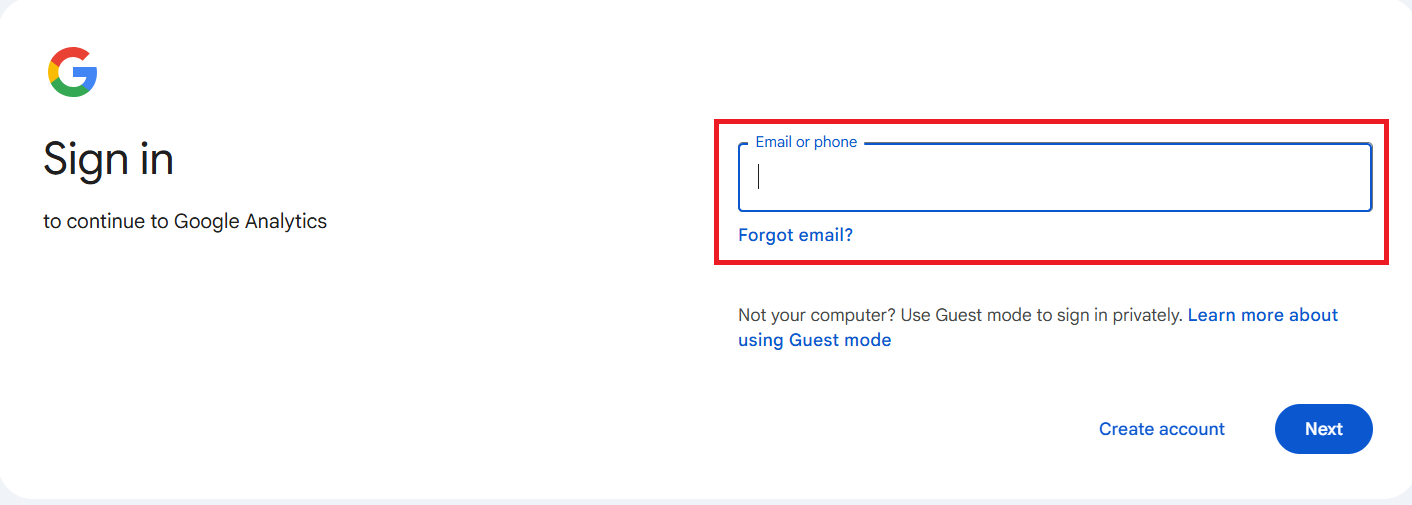
First and foremost, log in to your Google Analytics 4 account using your email address.
After you log in, you will see the GA4 dashboard interface. Click on Admin on the bottom left side.
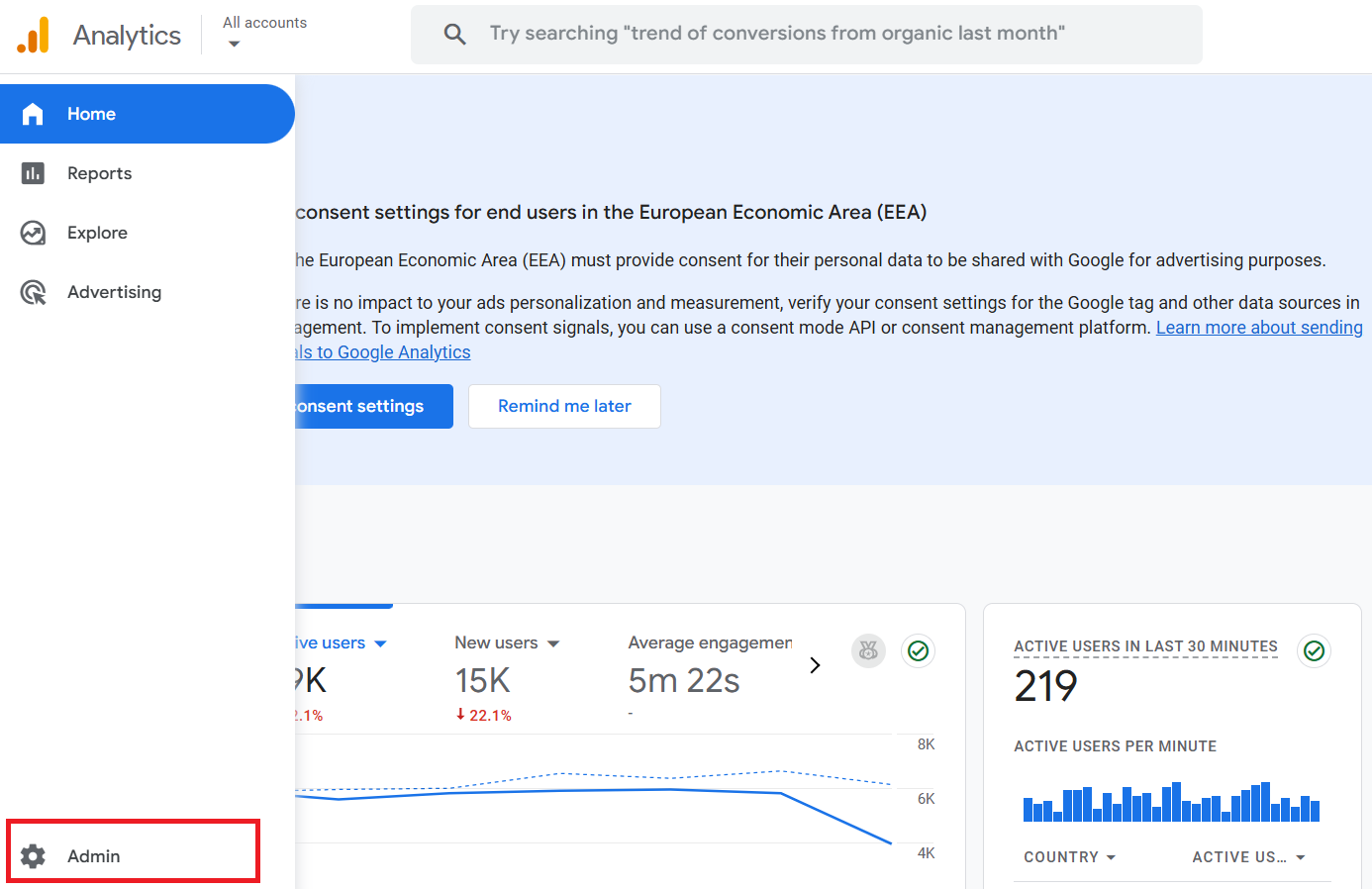
In the Admin section, create an account for your hotel website. Click on Account to do that.
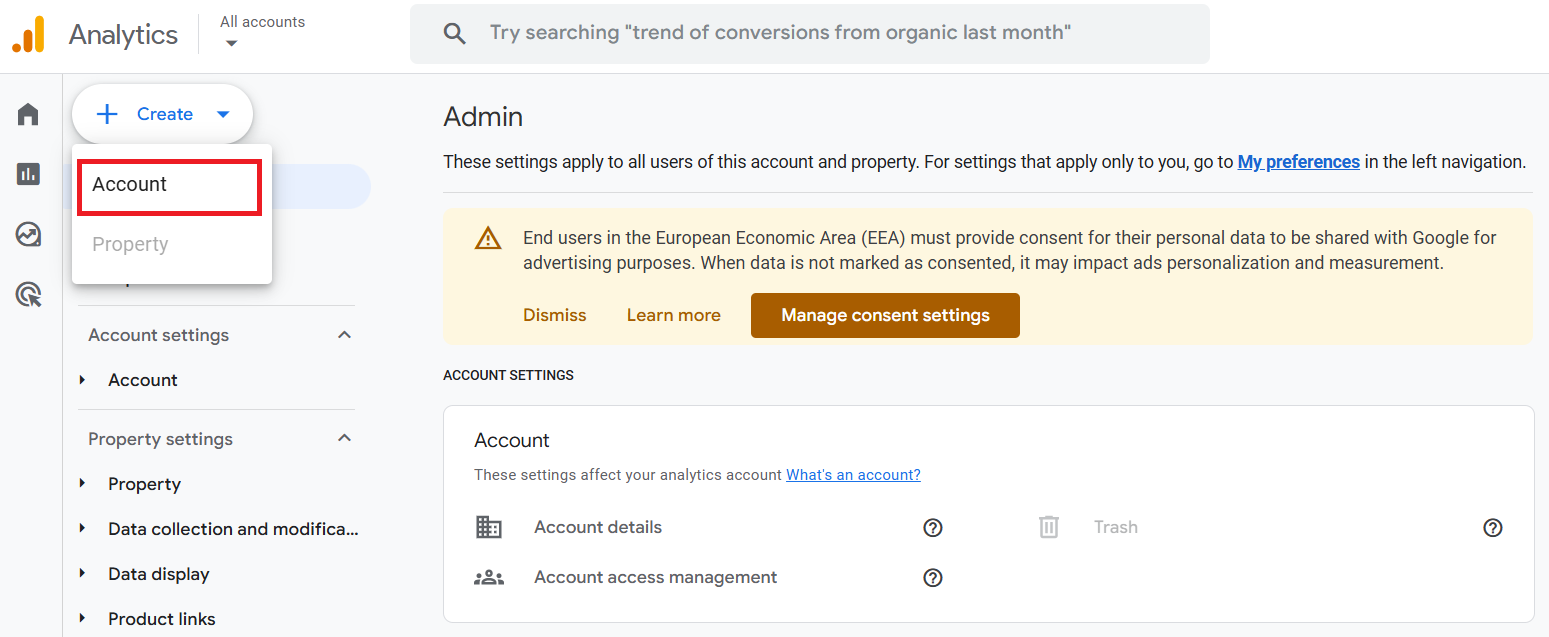
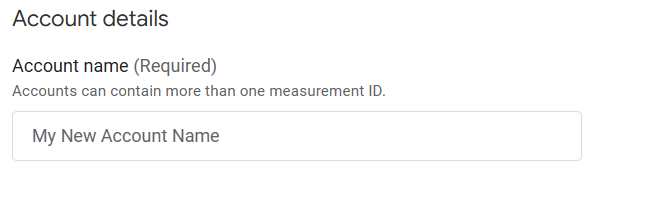
Name your GA4 Account.

After setting up your account details, you must set up your GA4 property.
Inside the account, you create a property for your website that you want to track.
A GA4 property is a container that holds all the data for a specific website.
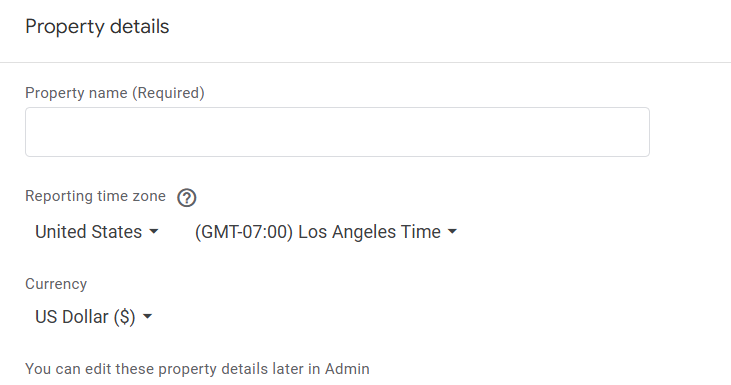
Name your GA4 property, select the time zone and currency, and then proceed further.
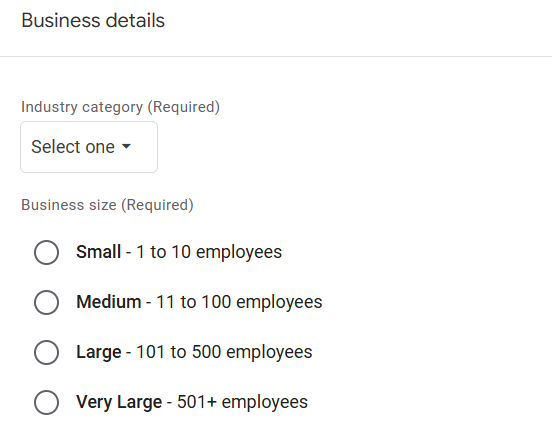
Choose the industry category of your asset and the size of your business.
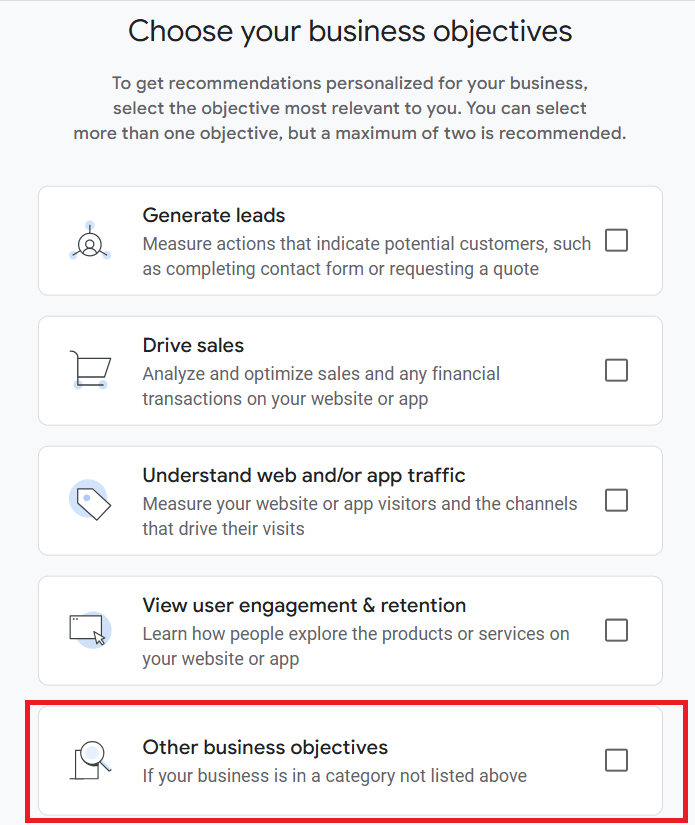
Choose a goal that aligns with your business objectives. If you're creating a GA4 account for your hotel website, it's recommended that you select Other business objectives.
Choose your product platform. As we're discussing on hotel websites, click on the web.

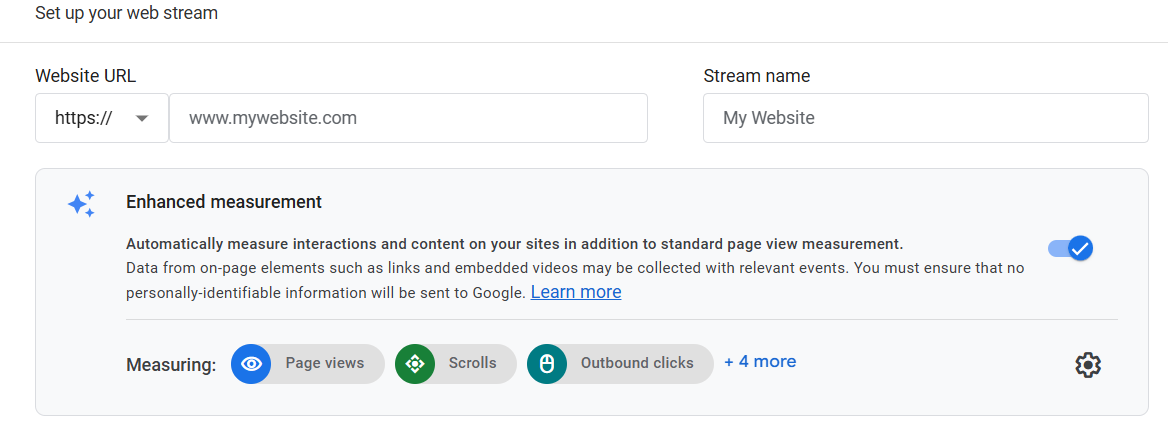
After that, enter your hotel's website URL and name your web stream.
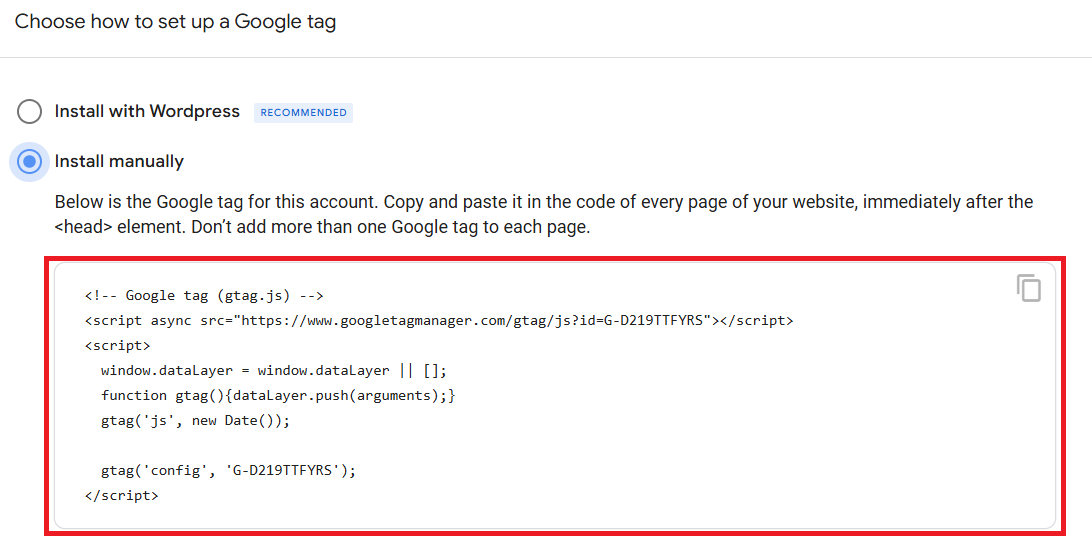
Click on Install Manually. Copy and paste the G-Tag code in the head section of all pages of your website.
If you have correctly set up your GA4 account, you can cross-verify your setup in Realtime Overview.
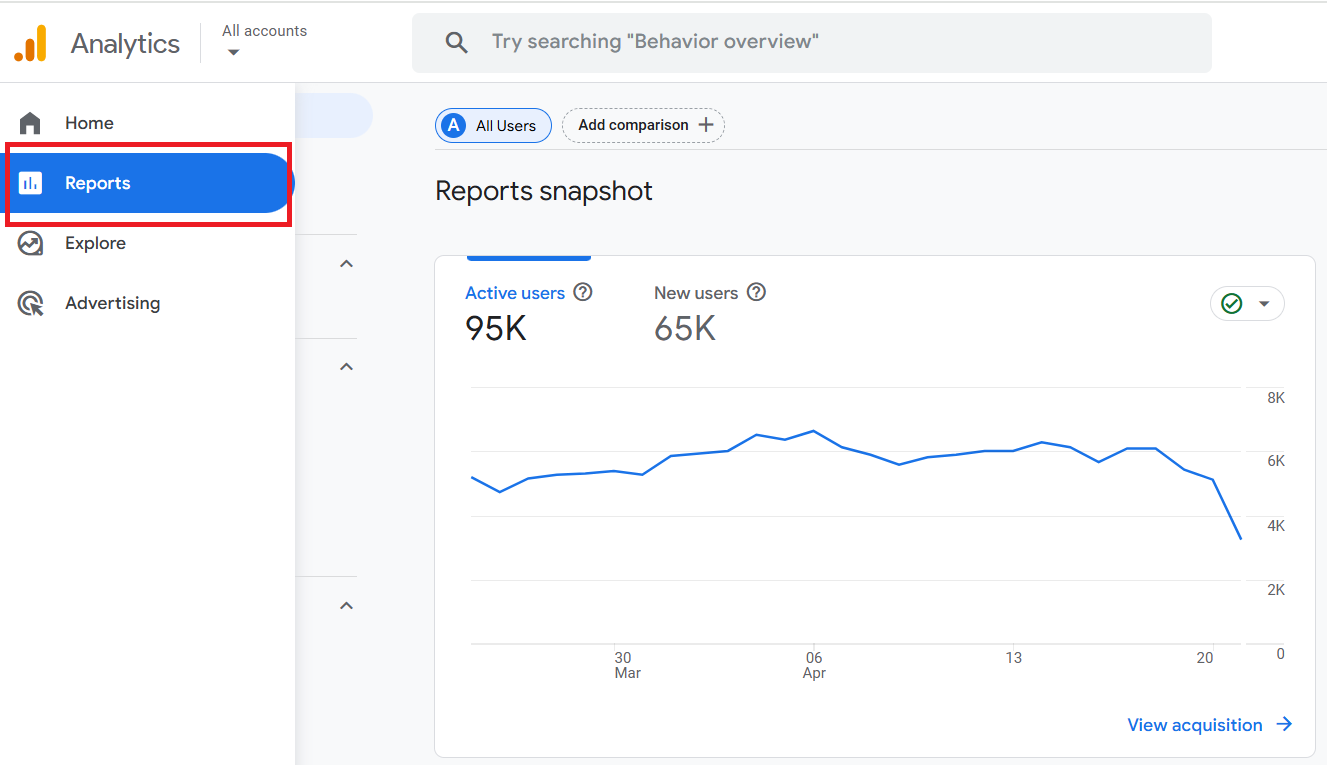
To check the realtime overview, click on Reports from the left panel.
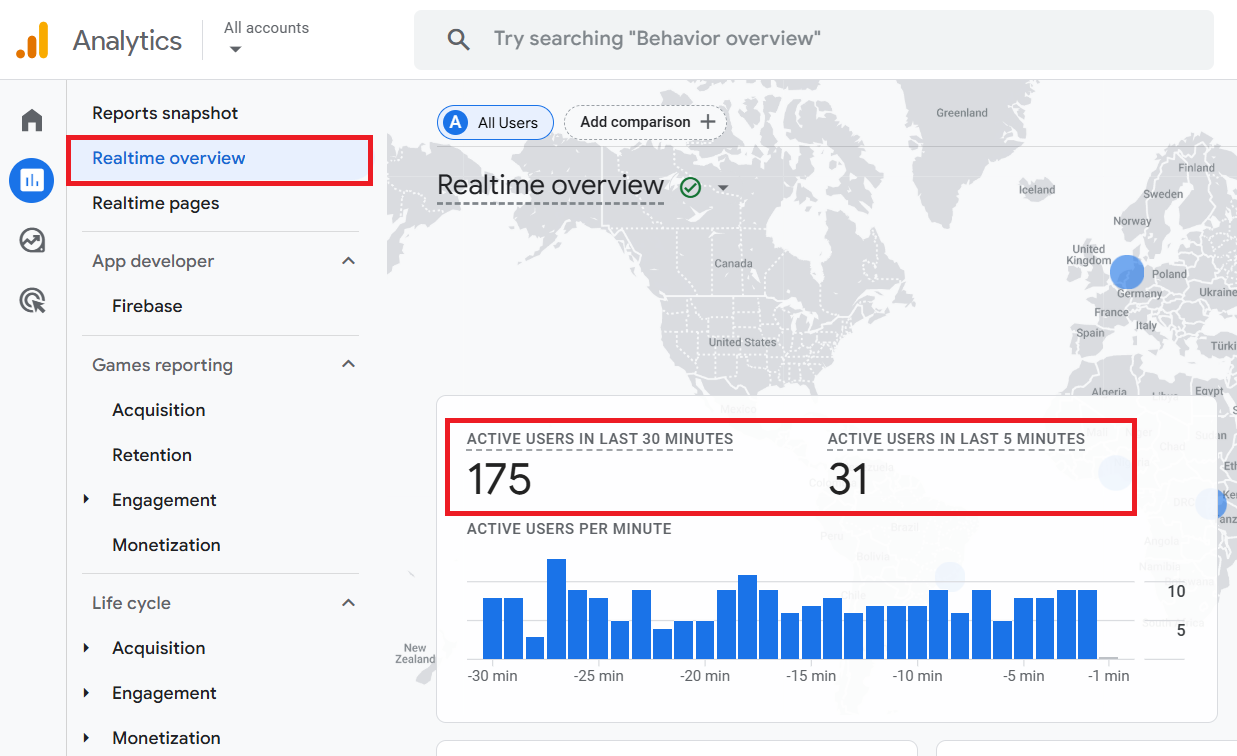
Then click on Realtime Overview. Visit your website in a new tab and see whether live tracking data is flowing in Active Users or not.
If your website visit has been tracked, be assured that your Google Analytics 4 (GA4) account is correctly set up.
Setting up Google Analytics 4 on your hotel’s website is a smart move if you want to understand how guests interact with your website.
Whether your goal is to boost direct bookings or just get a better sense of what your visitors want, GA4 makes it easier to make informed decisions.
So don’t wait—get started today and use your data to work for your hotel.
Author
Raj Patel
CEO & Founder
Raj Patel, the driving force at INNsight, is changing the game for hotels with his real-world expertise in software and digital marketing. Drawing on his Silicon Valley experience at eBay, Raj keeps things practical. Think of practical tools that work, making hotels shine online and turning digital success for every hotel. Jump on board the INNsight journey, where Raj's hands-on approach brings a touch of reality to revolutionizing the hospitality scene.
Follow him on LinkedIn

If you want our team to help you achieve your marketing goals and drive more direct revenue, contact us today!
By submitting your email address, you confirm that you would like to receive marketing emails from INNsight. In addition, you agree to the storing and processing your data by INNsight as described in our privacy policy.
This website uses cookies to deliver our services and to show you relevant inventory, property details, and rates for . By using our website, you acknowledge that you have read and understand our Cookie Policy, Privacy Policy, and our Terms of Service. Your use of 's services, including the booking of online reservations, is subject to these policies and terms.
These Cookies are strictly necessary to provide you with services available through our websites and to use some of its features, such as access to secure areas and to book accommodations.
Cookie Name: Apache
Description: Logging Visitor IP for legal / operational purposes
Party: First-party (INNsight)
Expiration: Session
Data Type: Session Identifier
Cookie Name: PHPSESSID
Description: Session data (login/application state)
Party: First-party (INNsight)
Expiration: Session
Data Type: Session Identifier
These Cookies are used to enhance the performance and functionality of our websites but are non-essential to their use. However, without these Cookies, certain functionality (like videos) may become unavailable.
These Cookies collect information that is used either in aggregate form to help us understand how our websites are being used or how effective our marketing campaigns are, or to help us customize our websites for you.
Cookie Name: _ga
Description: Google Analytics website stats
Party: Third-party (Google Analytics)
Expiration: Not specified
Data Type: Analytics identifier
Cookie Name: _gid
Description: Session data (login/application state)
Party: First-party (INNsight)
Expiration: Session
Data Type: Analytics identifier
Cookie Name: gat_gtag_[ID]
Description: Google Analytics tracking events
Party: Third-party (Google Analytics)
Expiration: Not specified
Data Type: Tracking identifier
Cookie Name: __utma / __utmb / __utmc / __utmt / __utmz
Description: Google Analytics legacy tracking
Party: Third-party (Google Analytics)
Expiration: Not specified
Data Type: Analytics tracking data
Cookie Name: _ga / _gid / gid / apnid / cid / _dc_gtm_[ID] / dc-adv / tapid / optimizelySegments / optimizelyBuckets / optimizelyEndUserId / _mkto_trk
Description: Sojern advertising/remarketing
Party: Sojern advertising/remarketing
Expiration: Not specified
Data Type: Advertising identifiers
Cookie Name: anj / uuid2
Description: AppNexus ad targeting cookies
Party: Third-party (AppNexus)
Expiration: Not specified
Data Type: Advertising identifiers
These Cookies are used to make advertising messages more relevant to you. They perform functions like preventing the same ad from continuously reappearing, ensuring that ads are properly displayed for advertisers, and in some cases selecting advertisements that are based on your interests.
Cookie Name: IDE / DSID / 1P_JAR
Description: Google DoubleClick advertising
Party:Third-party (Google/DoubleClick)
Expiration: Not specified
Data Type: Advertising identifiers
Cookie Name: __sonar
Description: DoubleClick advertising/targeting
Party:Third-party (Google/DoubleClick)
Expiration: Not specified
Data Type: Advertising data
These Cookies are used to enable you to share pages and content that you find interesting on our websites through third-party social networking and other websites. These Cookies may also be used for advertising purposes, too.
Cookie Name: loc / mus / na_tc / ouid / uid / uvc / __atuvc / __atuvs / km_ai / km_lv / km_vs / kvcd / _gid
Description: AddThis social sharing cookies
Party:Third-party (AddThis)
Expiration: Not specified
Data Type: Sharing/usage identifiers
Cookie Name: __sharethis_cookie_test__ / __unam
Description:ShareThis sharing/tracking
Party:Third-party (ShareThis)
Expiration: Not specified
Data Type: Share tracking IDs
What Are Cookies?
Cookies are small data files that are placed on your computer or mobile device when you visit a website. Cookies are widely used by website owners in order to make their websites work, or to work more efficiently, as well as to provide reporting information.
Cookies set by the website owner are called “first party cookies.” cookies set by parties other than the website owner are called “third party cookies.” Third party Cookies enable third party features or functionality to be provided on or through the website (e.g. like advertising, interactive content, analytics, etc….). The parties that set these third party Cookies can recognize your computer both when it visits the website in question and also when it visits certain other websites.
Why Do We Use Cookies?
We use first and third party Cookies for several reasons. Some Cookies are required for technical reasons in order for our websites to operate, and we refer to these as “strictly essential” or "strictly necessary” Cookies. Other Cookies also enable us to track and target the interests of our users to enhance the experience on our website. Third parties serve Cookies through our website for advertising, analytics, and other purposes.
The law states that we can store cookies on your device without prior consent for strictly essential or strictly necessary cookies. For all other types of cookies we need your permission. You can at any time accept, reject, or change the cookie settings on this website at any time by clicking on the cookie settings link.